Microsoft · Excel · Accessibility Research · 2024
Making Financial Data More Accessible in Excel
Exploring how Excel could help people create and interpret financial visualizations that remain understandable for users with color-vision deficiencies.
Overview
I worked on a Microsoft-sponsored project exploring accessibility challenges in financial visualizations created and consumed in Excel.
Our intended participants were color-blind financial professionals. Within the project timeline, however, we were not able to recruit enough target users for the planned evaluation.
Instead, we evaluated concepts with adjacent users who create and work with financial data visualizations and could influence whether those visualizations were made accessibly. Earlier research also included accessibility-focused interviews and secondary research with people familiar with color-vision challenges.
- Role
- UX Research · Product Manager
- Duration
- 5 months
- Partner
- Microsoft
- Product
- Excel
- Focus
- Accessibility · Financial visualization
What I did
I contributed to secondary research, interviews, competitive analysis, concept development, prototype evaluation, and sponsor reviews. Research focused both on people interpreting financial data and on creators responsible for making those visualizations accessible to others.
Key finding
Accessibility needs to support both the person reading a visualization and the person responsible for creating it.
Research showed that color-dependent charts can create uncertainty and force users to rely on workarounds or other people. That also creates an opportunity to help visualization creators catch accessibility issues before their work is shared.
Outcome
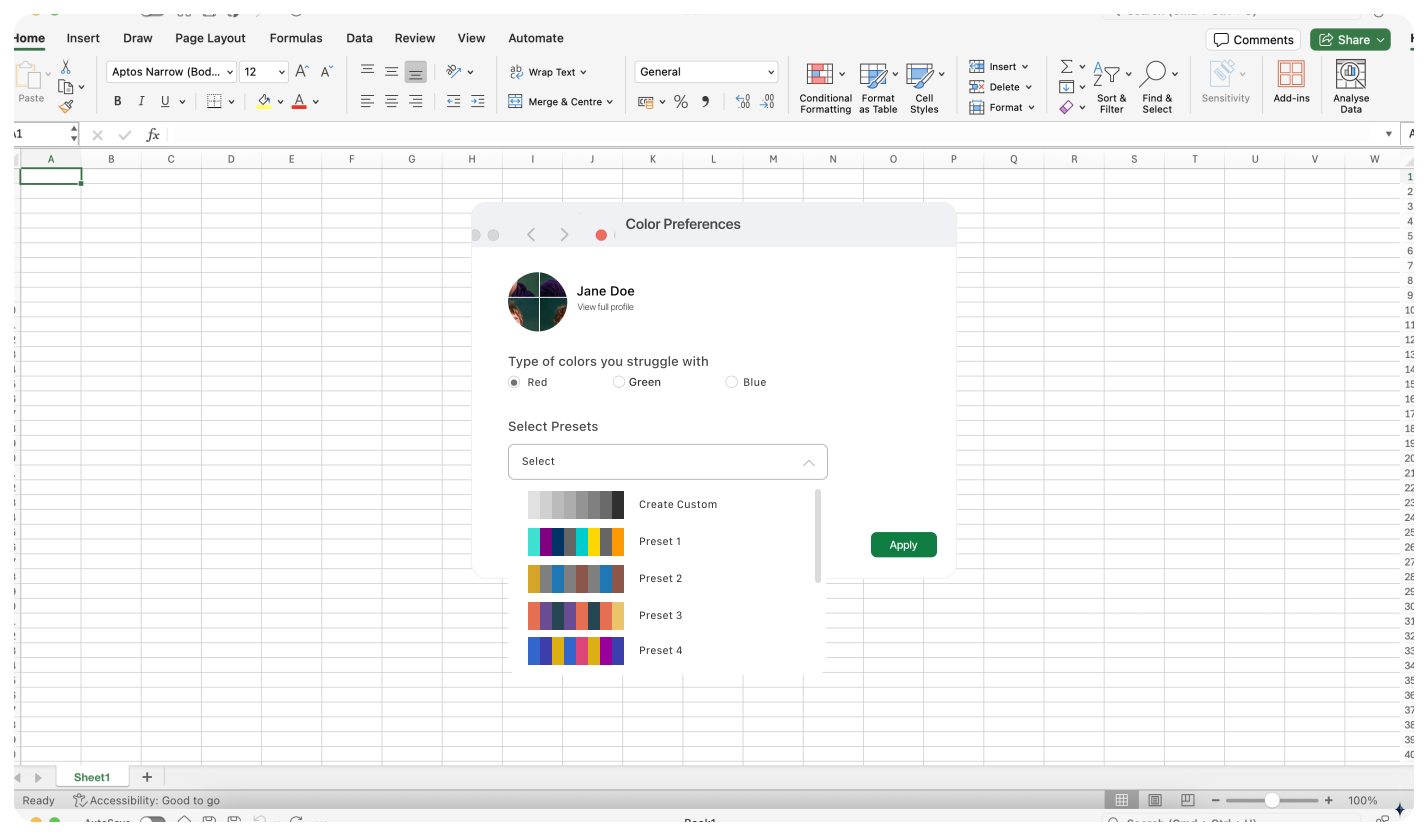
We developed three primary product directions aimed at making financial visualizations easier to create and interpret accessibly within Excel.
01
User profiles
Store accessible color preferences and automatically apply them to visualizations.
02
Accessibility checker
Identify problematic visualizations and recommend actionable accessibility fixes.
03
Accessibility modes
Use palettes, patterns, and alternative cues to reduce dependence on color alone.
Full case study
Detailed research and product documentation available upon request.